What this guide proves
HW-WONDERECHO-PRO is recognized as a stable host audio device and its wake/command behavior is tested in the intended acoustic environment. Voice input can request a bounded application action but cannot bypass the robot safety state machine.
Hardware and scope boundary
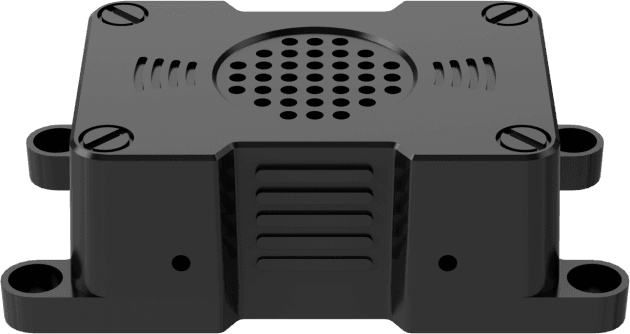
WonderEcho Pro is a 5 V Type-C USB 2.0 voice-interaction box with microphone, speaker and CI1302 command-wake processor. It is not a standalone LLM computer, battery system, motor controller, emergency stop or autonomous-motion decision maker. Recognition vocabulary and language depend on the flashed firmware.
Prepare before applying power
Mount the 72 × 40 × 23 mm enclosure with accessible audio openings and strain relief. Connect to the Raspberry Pi host through a verified Type-C data/power path. Keep robot motors disabled while validating audio.
Procedure
- Confirm the Linux host lists the device as the expected USB audio input/output endpoint. Record the selected device name and any required audio routing configuration.
- Test microphone capture and speaker playback with a harmless status prompt. Check quiet and representative noisy conditions at the planned mounting position.
- If updating CI1302 firmware, use the documented target, correct serial port and update procedure; preserve the delivered working image and do not change language or command data blindly.
- Route recognized intent to a host-side application state such as display status, log request or ask-for-confirmation. The application must know whether the robot is safe, supervised and allowed to move.
- Require a separate, deterministic confirmation and controller-side safety checks for any command that could affect motion. A voice phrase alone must not enable motors, release a brake or command a trajectory.
Pass criteria and record
Save the device identity, firmware state, audio routing, tested distances/noise conditions, selected vocabulary and the application action mapping. The voice layer should fail harmlessly when USB or recognition is unavailable.
Do not proceed when
Stop if a voice command can directly cause motion, if the device shares an unstable power path with a critical controller, if audio feedback is unintelligible in the target environment, or if firmware provenance is unknown.
Continue from here
Combine the verified voice interface with a visible UI or supervisor workflow. Treat it as a human-interface modality, not a replacement for emergency-stop, perception or controller safety logic.